MQTT
This project shows how to publish to an MQTT broker simple messages (payloads) in topics or subtopics.
It is possible to use OEVIS® Web API Demo as an MQTT broker to view the result of each step without having to use external brokers.
From OEVIS® open the sample project file mqtt_testbroker.ovprj and go to System.
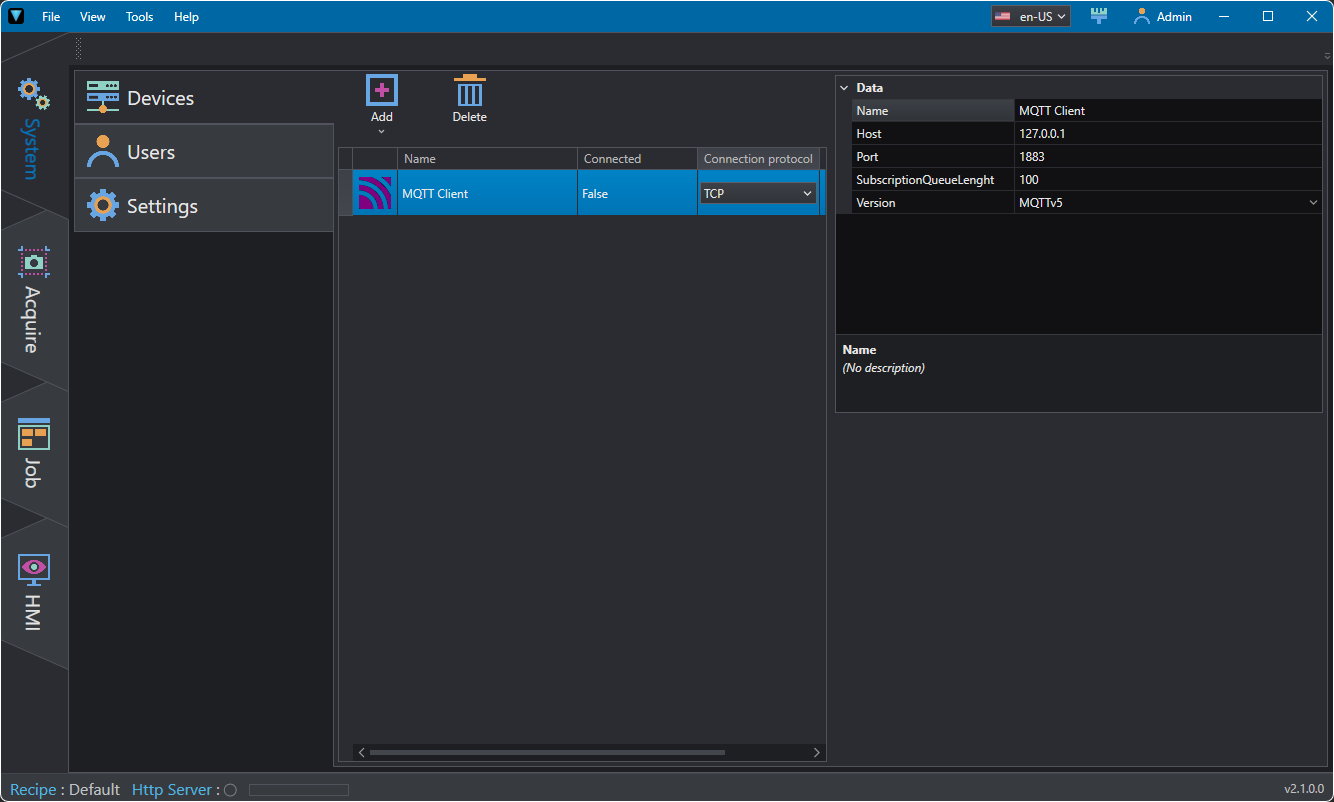
Via Add/Delete you can add/delete an MQTT client, and view whether or not it is connected to the broker. In this example the client has already been created.
Among the required parameters you will find:
- Name: name of the client that the tools will refer to.
- Host: IP address of the broker (if you want to test with the Demo app leave 127.0.0.1).
- Port: broker port, usually 1883.
- Subscription Queue Length: maximum number of messages that can be received when subscribing to a topic. When the index is exceeded, the oldest message is removed from the list.
- Version: version of the protocol to be used for communication.
In Job you can find some usable tools with related explanatory commentary.
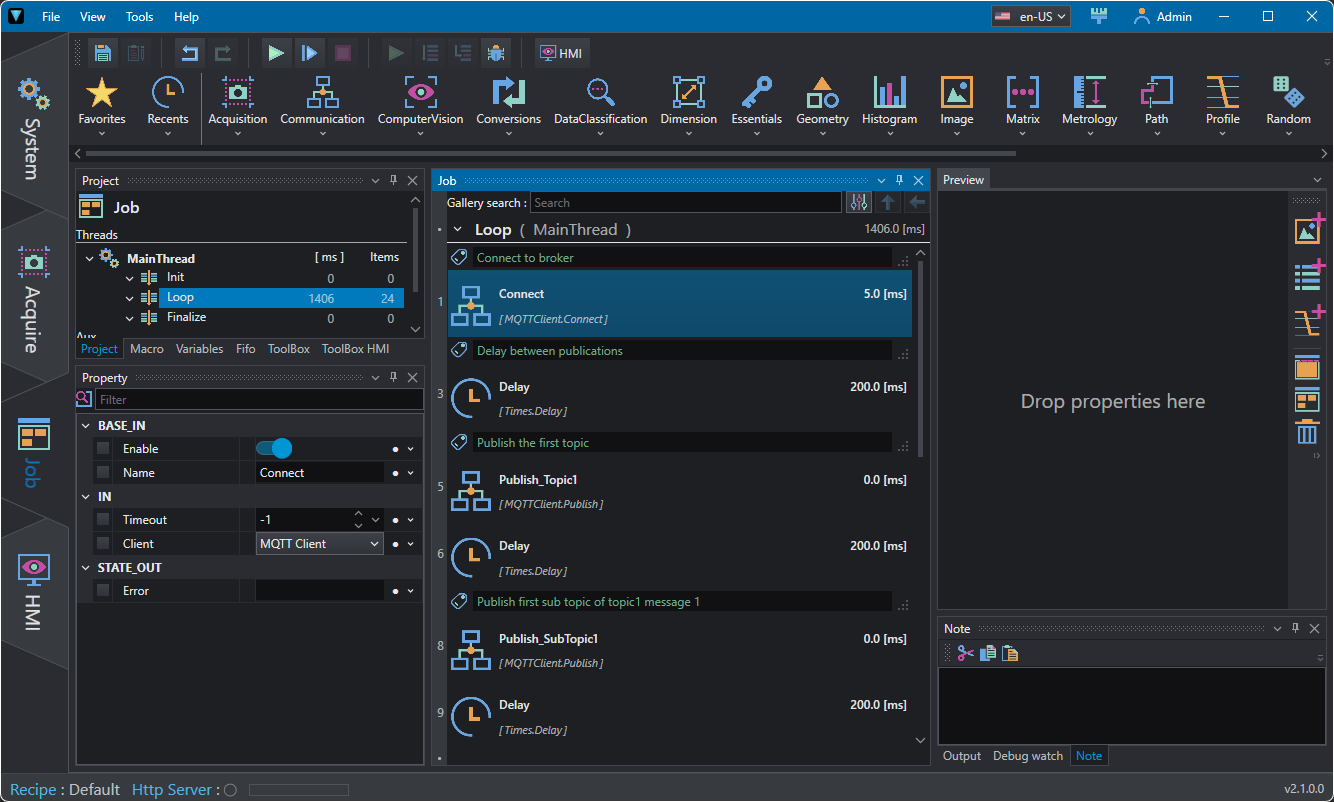
The first thing to do is to connect the server with Connect tool; among the properties you can specify:
- Timeout to connect broker (-1 disables the function).
- Client: name of the client to use (defined in System).
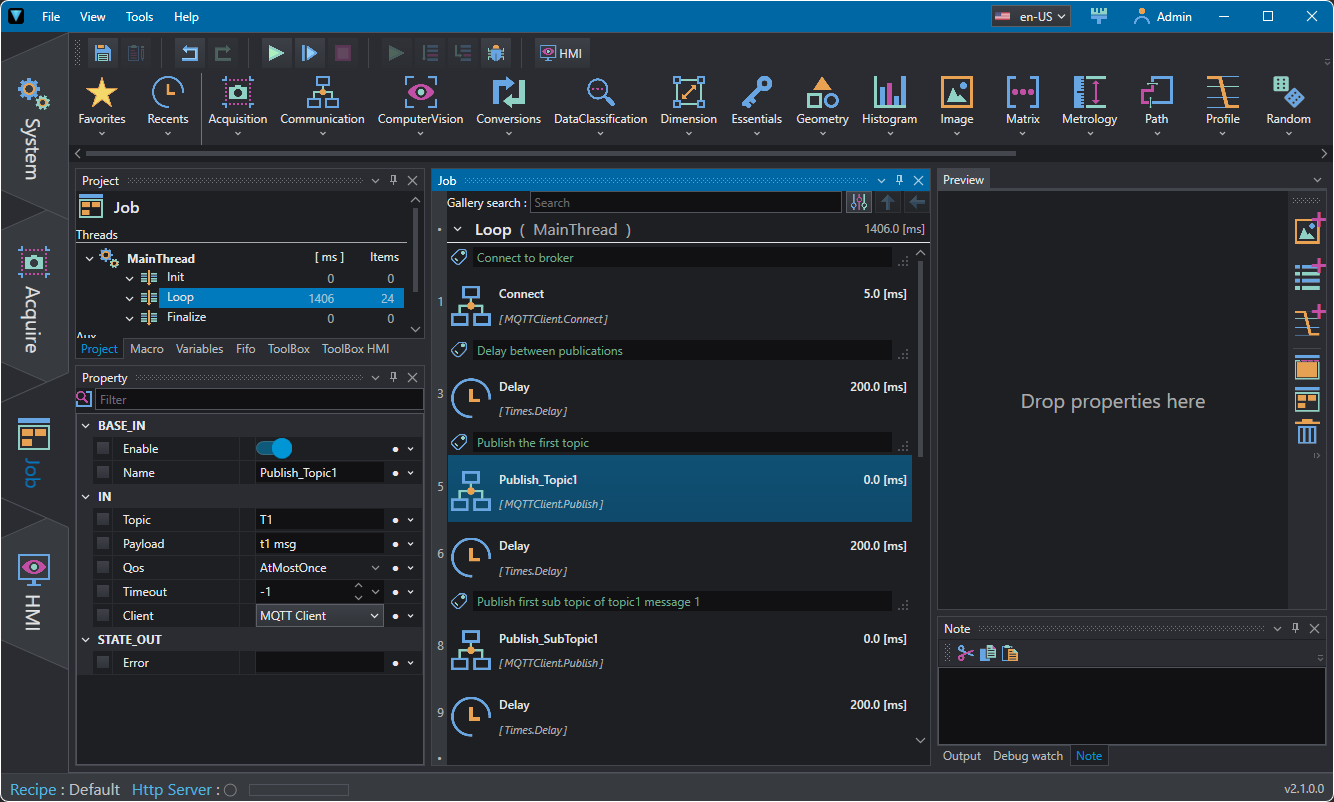
Next you will find the Publish tool used to publish messages (payloads) in different topics. The example shows how to nest topics together and how different payloads posted in the same topic appear.
Among the required properties you will find:
- Topic: topic title (e.g. temperature), if not existing this will be created. To specify a subtopic use the "/", for example topic1/subtopic1, topic1/subtopic2 .
- Payload: content of the topic post (e.g., 32°C).
- QoS: Quality of Service indicates the level of guarantee for message delivery:
- 0 (At most once): the message is sent only once, with no confirmation of receipt. Message loss is possible.
- 1 (At least once): the message is delivered at least once, but may be received multiple times (duplicates possible).
- 2 (Exactly once): the message is delivered only once, with the highest level of reliability.
- Timeout: timeout to publish payload (-1 disables the function).
- Client: name of the client to use (defined in System).
Feel free to experiment using OEVIS® Web API Demo to visualize the result.