Template WPF Library
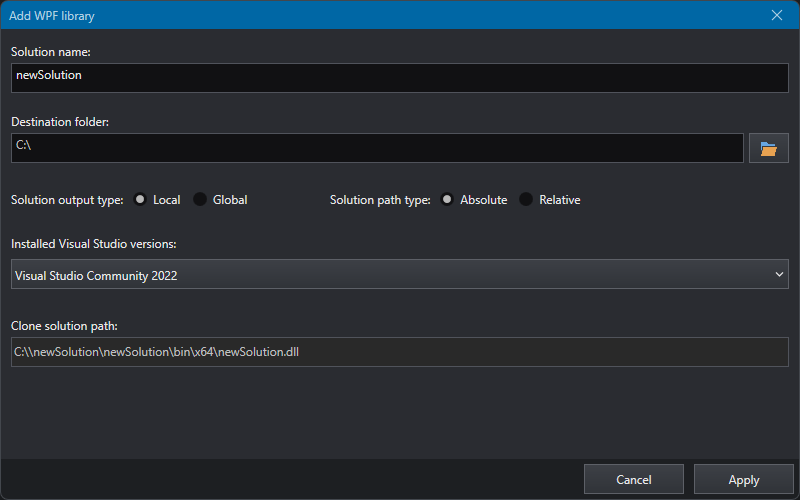
To generate a new solution choose a new name and destination folder.
Depending on the type of output, the solution can be local (only for the current project) or global (for all projects).
If you select local, you can choose whether the path contained (e.g., “Downloads”) is absolute (“C:\Users\userdemo\Downloads”) or relative ("..\ ..\ ..\ ..\ Downloads").
You can copy the path from the bottom label; this value is also copied to clipboard for convenience.
Once all parameters have been set, press Apply to generate the solution.
Once the new solution has been generated, it will open automatically in MS Visual Studio©. If multiple versions are installed on your PC, you can select the one you want from the list.